Schedules
A schedule runs a task automatically in an environment, on a recurrence defined by a cron expression. Each task has at most one schedule per environment.
Set up
With the task and the environment selected in the top bar, use Set up schedule, in the side panel of executions, and choose the frequency. The schedule applies to the selected environment.
| Frequency | Example |
|---|---|
| On demand | no schedule |
| Every X hours | every 4 hours, at minute 15 |
| Daily | every day at 09:00 |
| Weekdays (Mon–Fri) | Monday to Friday at 09:00 |
| Weekly | every Monday at 09:00 |
| Monthly | every 5th at 09:00 |
| Custom (cron expression) | 0 9 * * 1-5 |
:::caution Times in UTC
A schedule created through the console uses UTC times. 09:00 UTC is 06:00
in Brasília. A schedule declared in the repository can use another time zone
(timezone: America/Sao_Paulo).
:::
Follow
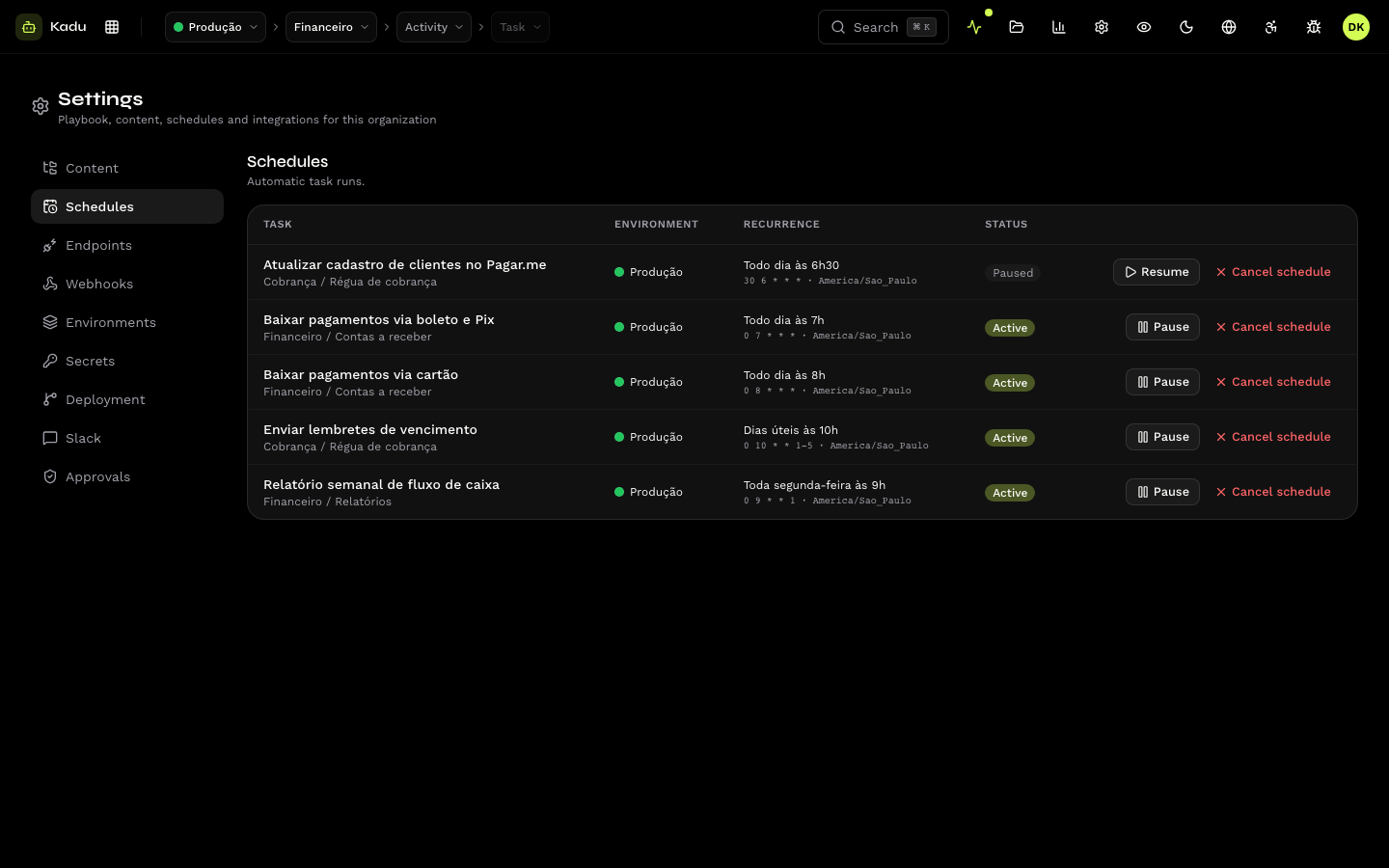
Settings → Schedules lists all of the organization's schedules: task, environment, recurrence and status (Active or Paused). From here you can:
- Pause and Resume, without losing the configuration;
- Cancel schedule, which removes the schedule. To schedule again, set it up again on the task.
Rules
- It does not stack. If the task already has an active or queued execution at the scheduled time, that run is skipped. A cron shorter than the task's duration loses runs.
- Secrets before the time. The schedule runs with the environment's secrets. Register the value of a new secret before the next run time.
- Plan and cap. Without a plan or with the monthly cap reached, the schedule does not fire (and webhooks receive the corresponding event). A skipped run is not redone.
Schedules declared in the repository
A skill can declare its own schedules (task.schedules). In that case, the
repository is the source of truth: the recurrence and time zone revert to what
was declared on the next push if they are edited here. A pause made here
remains in effect as long as the skill does not declare paused. See
Schedule, endpoint and executor.
Through the API: /v1/schedules.