Endpoints
A task with an endpoint can be triggered by another system with an HTTP
POST, without going through the console and without the API token: each task
has its own credential.
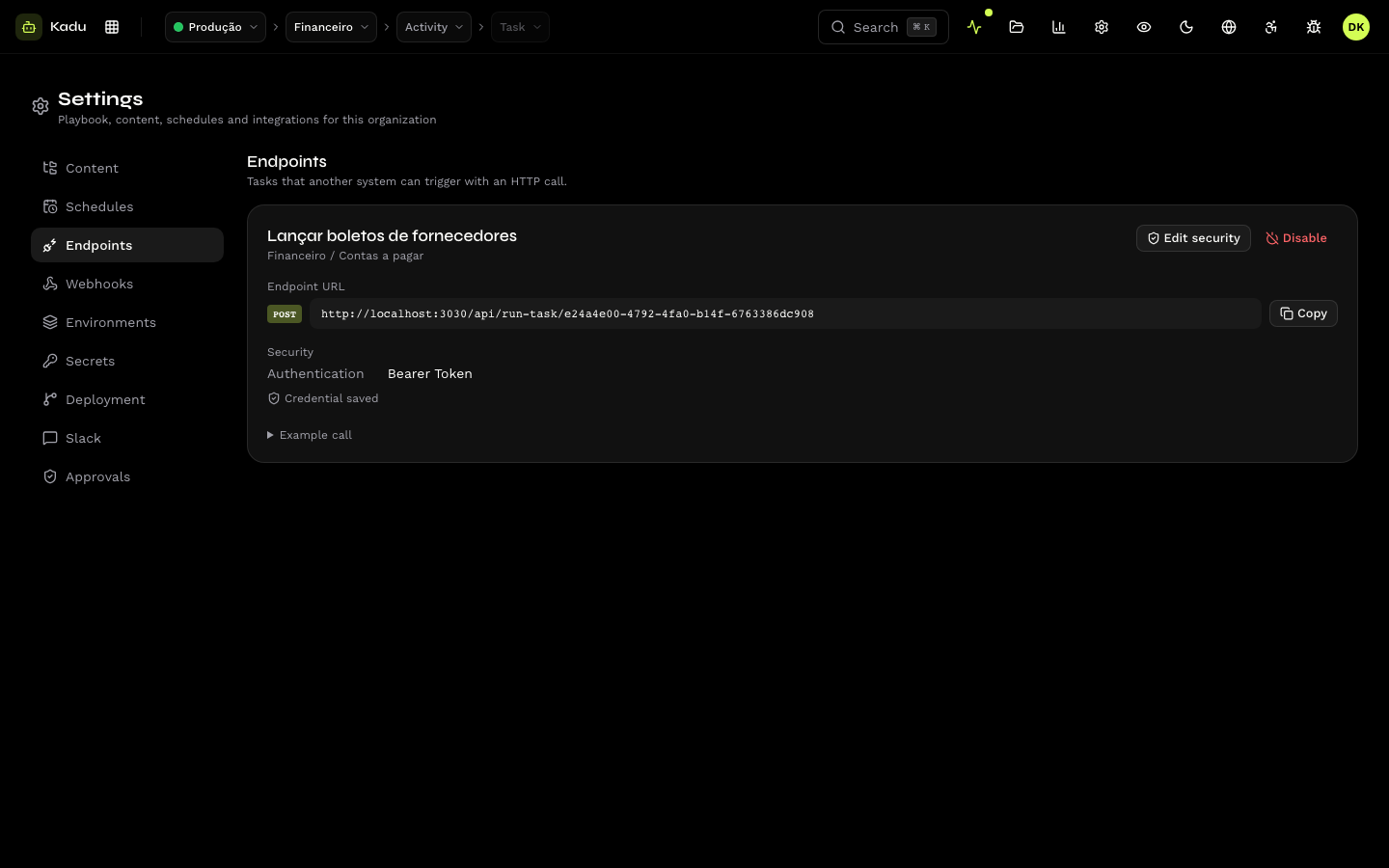
Settings → Endpoints lists the tasks with the endpoint enabled, each one with:
- the endpoint URL (
https://api.kadu.ia.br/run-task/{task_id}), with the Copy button; - the authentication type and whether the credential is stored;
- a call example.
Authentication
| Type | How the call authenticates |
|---|---|
| HTTP Basic | Authorization: Basic with user and password |
| Bearer Token | Authorization: Bearer <token> |
| Header | a header with a name and value you define (X-Api-Key: …) |
| URL parameter | a query parameter with a name and value you define |
Credentials in the URL can appear in proxy and server logs. Prefer Bearer Token or Header.
In Edit security, change the credential. Leaving the field blank keeps the current credential. The credential is stored encrypted and is never shown again.
Enable and disable
The Playbook is what enables a task's endpoint (task.endpoint), and
the first credential is registered by the Kobana team. If no task appears in
the list, ask Kobana support. See
Schedule, endpoint and executor.
Disable makes calls receive 404 and keeps the security configuration. If
the Playbook declares the endpoint as enabled, the next push turns it on
again.
The call
The body, responses and errors are in Run endpoint. The endpoint also receives Kobana's Autonomous Inbox webhook directly.