Secrets
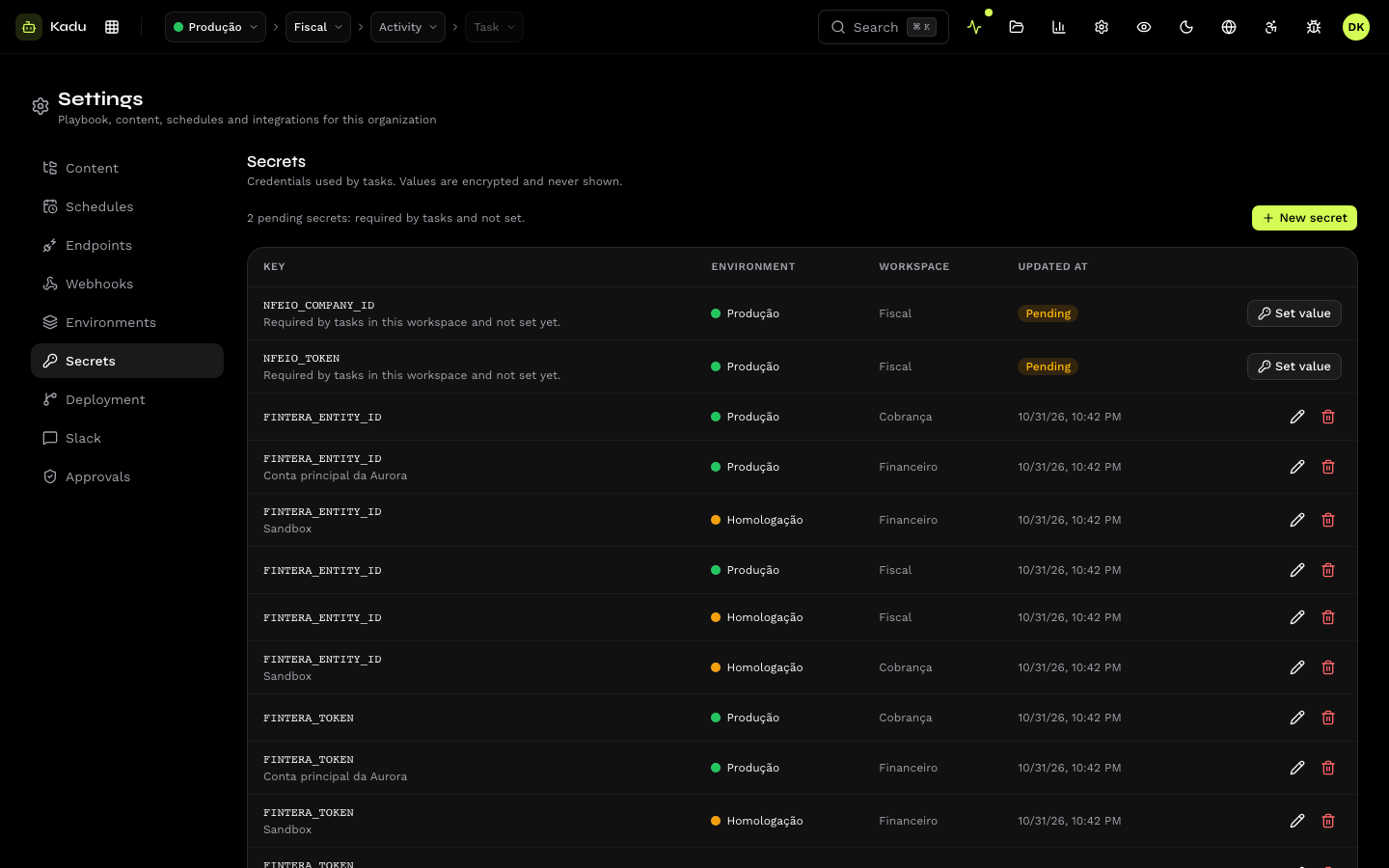
Settings → Secrets lists the organization's secrets: key, environment, workspace and the date of the last change. The value is never shown. The concept is in Environments and secrets.
Register an environment first: every secret belongs to one.
Create
Click New secret and fill in:
| Field | Rule |
|---|---|
| Key | the name of the variable the skill reads, in UPPER_SNAKE_CASE, identical to what the task declares in required_secrets (FINTERA_TOKEN). |
| Value | stored encrypted. |
| Environment | where the secret applies. |
| Workspace | optional: restricts the secret to the tasks of one workspace. |
| Notes | free text for whoever maintains it (where the token came from, who owns it). |
Edit
To change the value, save a new one. Leaving the Value field blank keeps the current value, so you can change only the notes.
Pending
The top of the screen summarizes how many secrets are pending: required by tasks and with no value in the environment. Each one appears in the list with the Set value shortcut.
Delete
Tasks that use the key stop receiving it on the next execution.
Through the API: /v1/secrets. The API never returns a secret's value.