Follow an execution
Choose an execution in the task's list to open its screen. While the execution runs, the screen updates on its own.
Tabs
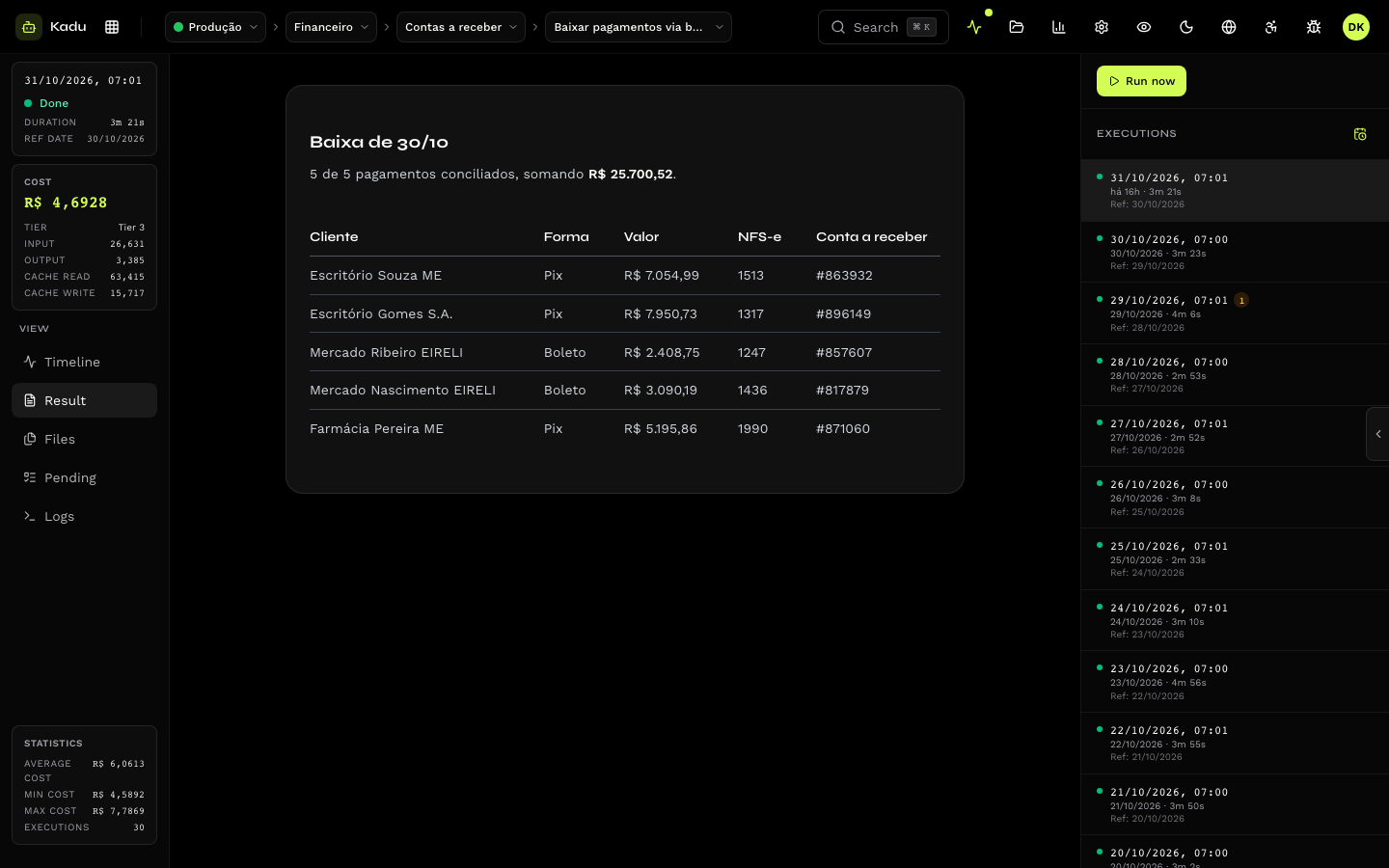
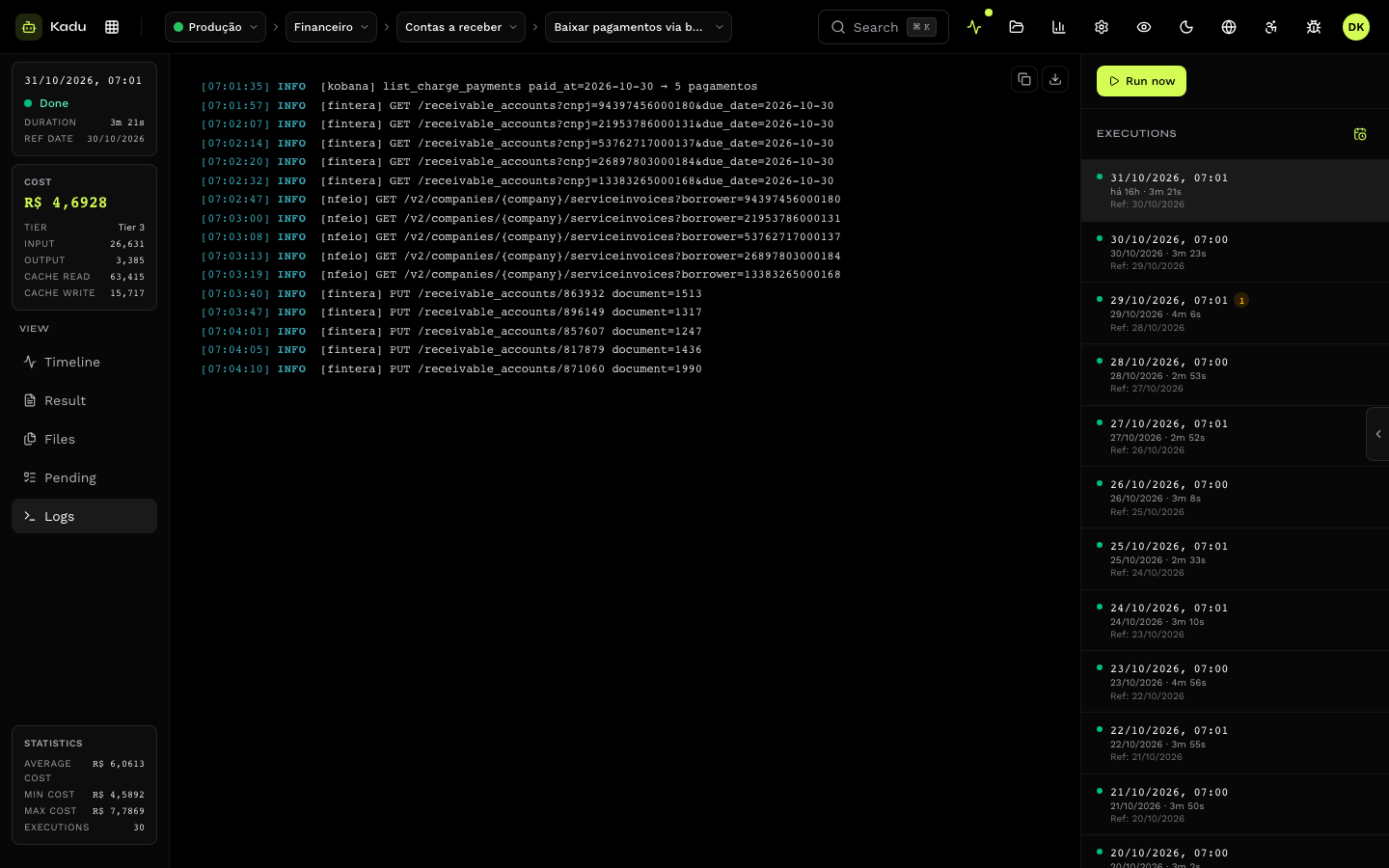
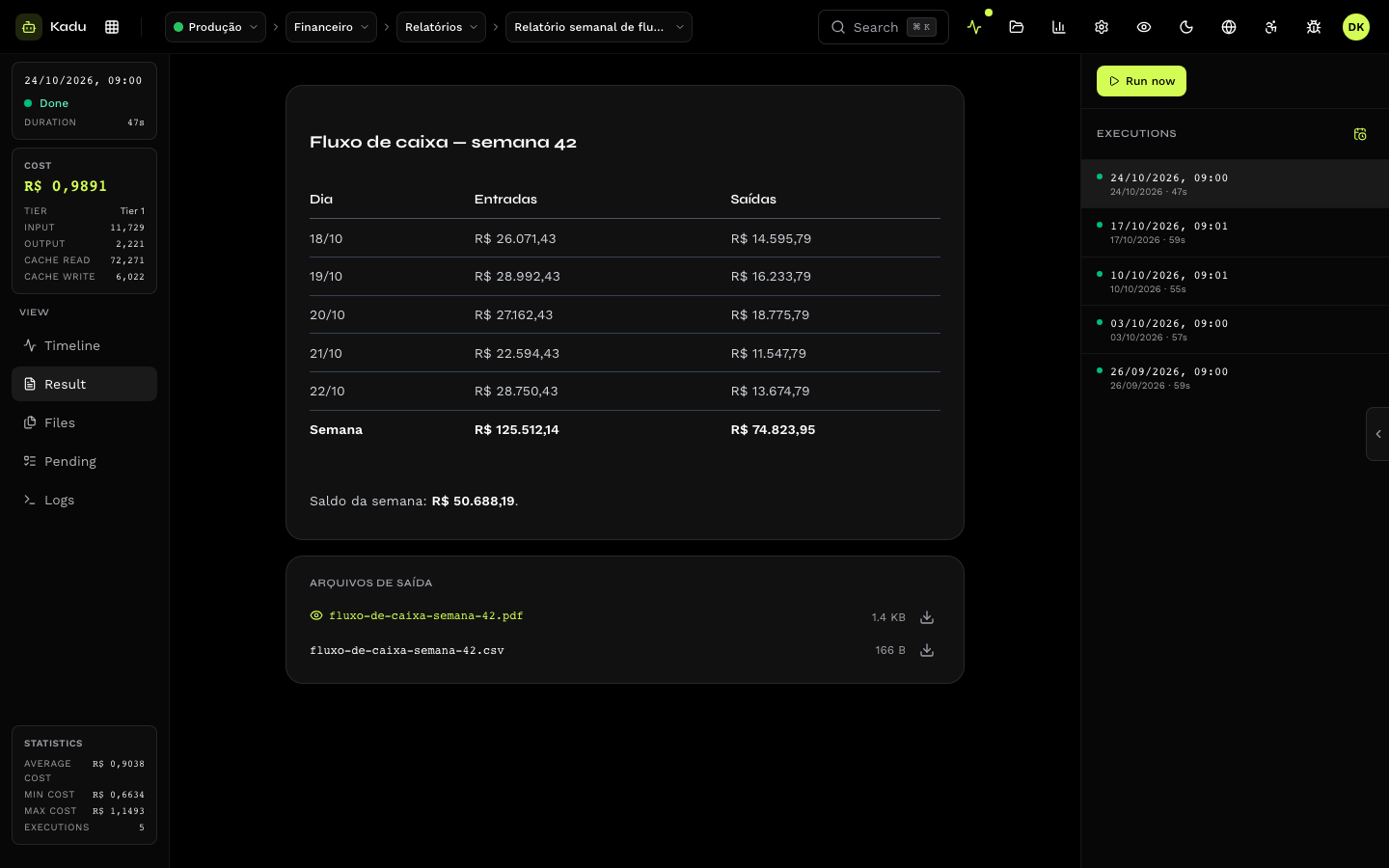
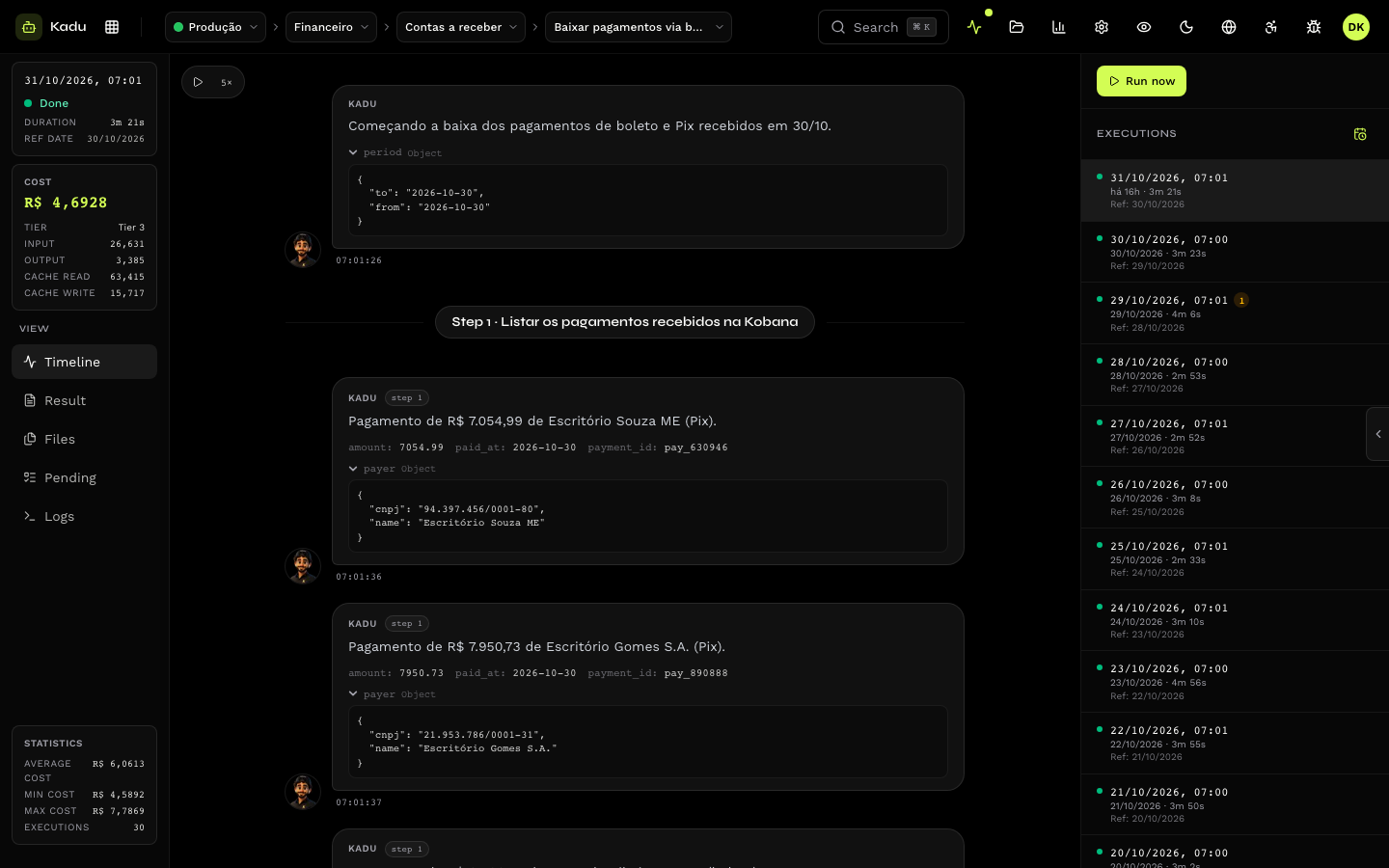
| Tab | What it shows |
|---|---|
| Details | status, reference date, environment, elapsed time or duration, tier, tokens and cost. For finished executions, also the task statistics: average, minimum and maximum cost and the number of executions. |
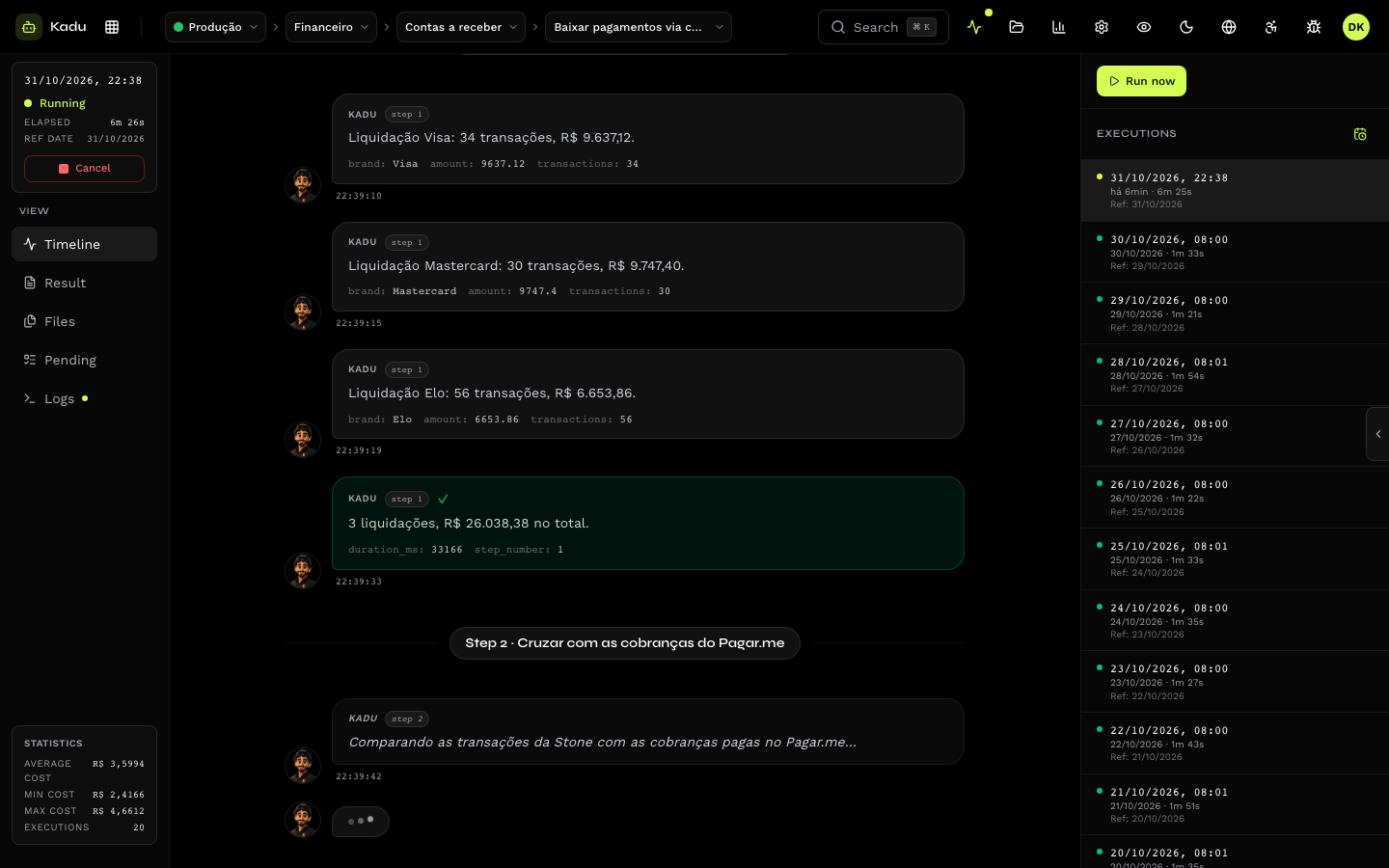
| Timeline | the execution timeline, step by step, with what the agent announced in each one (Step 2 · Fetching yesterday's payments). Warnings and errors are highlighted. A queued execution shows how many are ahead of it. |
| Logs | the log lines and the HTTP calls to external systems (method, URL, status and time), with secrets masked. Copy or download the full logs. While the execution runs, the Live logs shortcut follows the end of the file. |
| Pending | what the skill left for a person. See Pending items. |
| Files | the input files attached to the run and the output files published by the execution, with preview and download. |
| Result | the final report the skill wrote, in Markdown: what was done, what was skipped and why. |
Conversation: requesting a change
In conversational tasks (a video, a document, a report that a person reviews), the Result tab of a finished execution shows the Conversation card. Write what should change ("redo it with the calmer soundtrack and the logo at the end") and click Request changes.
Each request opens a new execution, a child of the previous one, that continues from it: same parameters, reference date and environment, the same files and the context of what the agent already did. The new turn has its own timeline, logs, pending items and result, and the card lists the turns so far.
Where the conversation appears in the console:
-
Banner at the top of the execution, on every tab: "Turn N of M in the conversation", the request that opened the turn, the Previous turn link and the Request changes shortcut, which leads to the card.
-
Execution list: later turns are nested under the first one, collapsed behind an arrow, with the total number of turns next to the date. Click the arrow to expand or collapse; the conversation of the open execution is already expanded. Each turn shows the request that opened it.
-
Run now: the task appears with the Conversational badge.
-
Only done or failed executions can be continued; a cancelled one cannot.
-
Any turn can be continued, not just the last one: continuing an old one opens a branch.
-
The turn goes through the same rules as a run: plan, cost cap and the task queue.
-
If the card warns that the session was not saved, run the task again.
-
If the card warns that the task changed executor, its tier changed since this run and the new executor cannot resume the saved session: run the task again.
Through the API: POST /v1/executions/{id}/continue, with { "message": "…" }.
Replay
A finished execution can be replayed: the replay plays the timeline again, in the order and at the pace it happened, with speed control. It helps you understand what the agent did without reading the logs line by line.
Cancel
A queued, pending or running execution can be cancelled with the Cancel button. It is interrupted and marked as Cancelled. What it already did in external systems (a settlement, an attachment, a message) is not undone.
When the execution fails
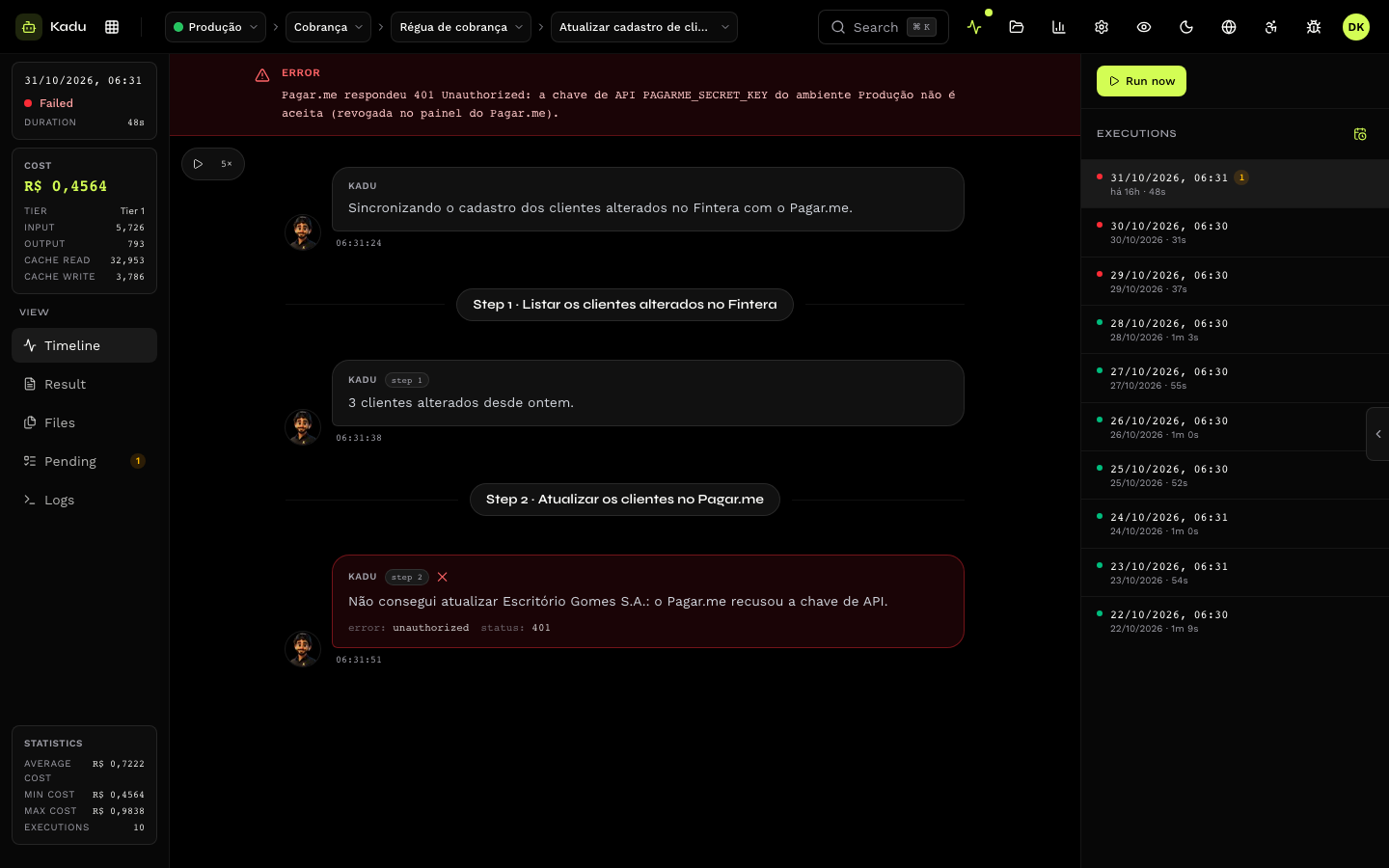
- Open the Timeline and look for the last step before the error.
- Check the Logs near that point, especially the external system's HTTP response.
- Read the Result: a well-written skill records where it stopped even when it fails.
| Symptom | Likely cause |
|---|---|
| Failed right at the start, with no steps in the timeline | a secret with no value in the environment, or the task could not start. Check the environment's secrets. |
| Ran for 60 minutes and failed | the execution hit the maximum time. Usually high volume or a step waiting for a response. |
Call to an external system with 401 in the logs | wrong or expired token. Update the secret in the environment. |
| Many pending items created | data the skill could not resolve on its own. Look at each pending item. |
Problems that come from the skill itself (a step missing from the timeline, a result showing only "success") are in Common errors, in the section for people who write skills.